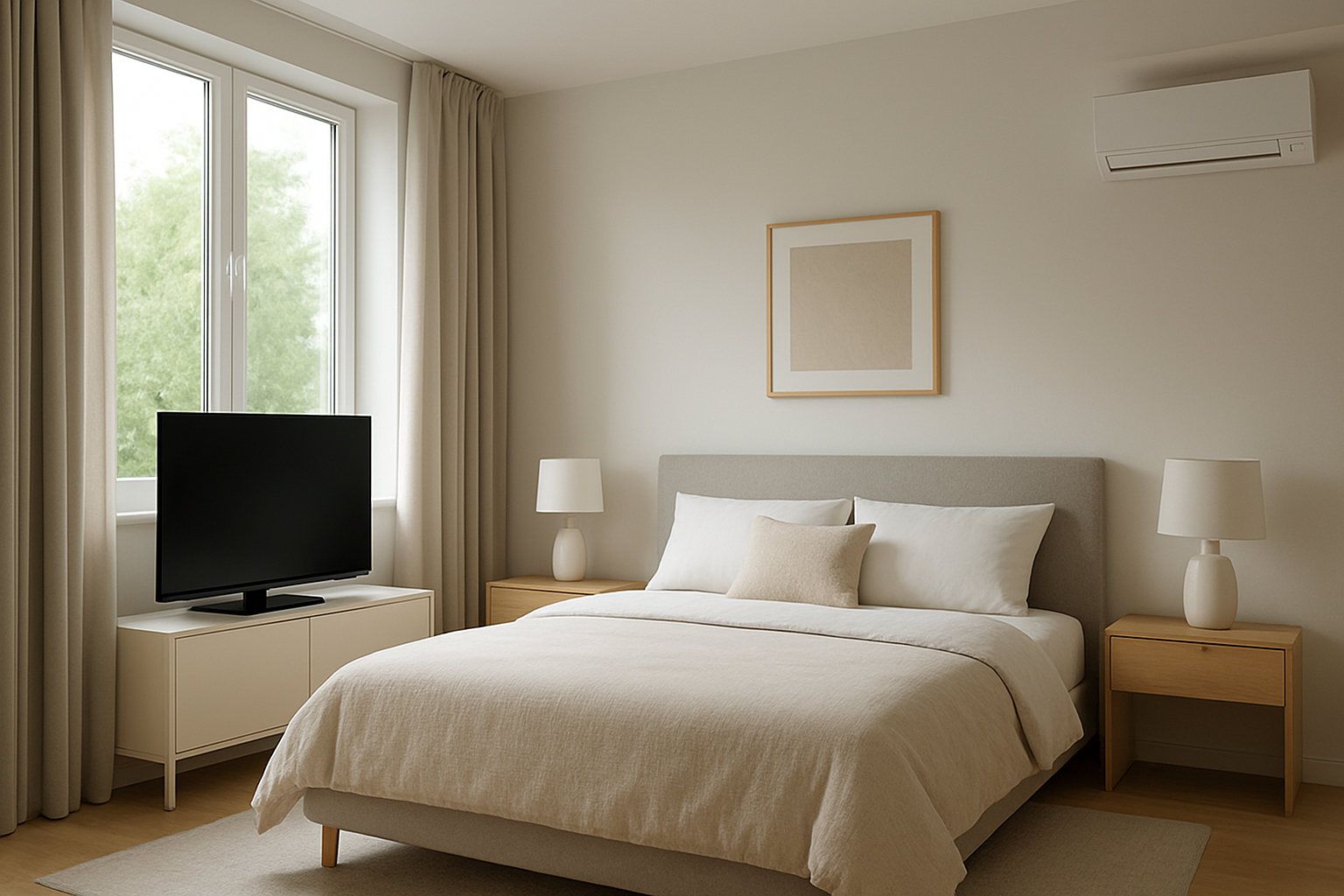
Diagnose why bedrooms feel warmer near electronics than windows by identifying sources of localized heat gain and learning solutions to balance room temperature.
Bedroom Warmer Near Electronics Than Windows? Local Heat Gain
Quick Answer
If the bedroom feels warmer near electronics than near the windows, the most likely cause is localized heat gain from devices plus weak air mixing in that part of the room. First check: turn off or unplug the largest heat sources for 60–90 minutes (PC, monitors, gaming console, AV receiver) and see whether the hot spot shrinks or disappears while the rest of the room stays similar.
Identify the Comfort Pattern First
Before assuming an HVAC problem, map the pattern. Local heat gain has a consistent signature.
When it happens: usually evenings, during gaming/working, or anytime devices are running; often worse after 1–3 hours of use.
Weather influence: often present in any season; may feel worse in summer because the HVAC is already removing heat; in winter it can still feel stuffy even though the room is otherwise comfortable.
Where it happens: strongest within a few feet of a desk, entertainment center, or charging station; the window side may feel cooler by comparison.
System running vs off: hot spot persists whether the system is on or off, but may spread when the system cycles off (less mixing).
Constant vs intermittent: intermittent and tied to device runtime; the temperature difference drops when devices are off overnight.
Door open vs closed: with the door closed, the hot zone intensifies and you may feel stagnant air; door open often reduces the temperature difference.
Vertical differences: heat near electronics often pools higher (warmer at head level or upper wall); ceiling area near the electronics can be noticeably warmer than near the window.
Humidity perception: the hot zone can feel more humid or stuffy even if actual humidity is unchanged, because warmer air makes sweat evaporate differently and reduces perceived freshness.
Airflow strength: supply air may feel weak at the desk area; you may feel little air movement where the heat is produced, even though the vent is technically blowing.
What This Usually Means Physically
Electronics convert electrical power into heat. In a bedroom, that heat is released into a relatively small air volume. If the heat source is concentrated (PC tower, multiple monitors, router, console, amplifier, chargers), the air immediately around it warms first. Warm air rises, creating a small convective plume that can sit near the desk and upper wall.
If the room has weak mixing, the supply air stream from the register may not sweep through the electronics area. The room thermostat (often in a hallway) reads the average house condition, not the microclimate near the devices. The HVAC system can be operating normally while the bedroom still has a localized warm pocket.
This is not the same mechanism as window heat loss or solar gain. In this symptom, the window side feels cooler because it is not receiving the internal heat load, and it may have slight cooling from glass surface temperature or minor drafts. The contrast makes the electronics side feel even warmer.
Most Probable Causes (Ranked)
High local heat output from electronics in a small zone Clue: the warm spot is tightly centered around the desk/TV area and grows with device usage time.
Poor air mixing or dead air pocket near the electronics Clue: you feel stagnant air near the equipment even while the register is blowing elsewhere; door open reduces the issue.
Supply register throw and direction not reaching the heat source area Clue: the vent stream is aimed along a wall, blocked by furniture, or short-circuits toward the return path, leaving the desk area untouched.
Return airflow path restricted when the bedroom door is closed Clue: the room feels much more even with the door open; with the door closed, the room feels pressurized or the supply airflow sound changes.
Electronics located in an enclosure that traps heat and re-releases it Clue: heat is strongest near a cabinet, desk hutch, or closet where equipment is operating; opening the enclosure makes the area feel hotter immediately.
Cooling capacity or distribution marginal only for that room Clue: the whole bedroom runs warm relative to the rest of the house, but the electronics corner is worst; problem appears mainly in hot weather.
How to Confirm the Cause Yourself
These checks use observation and simple comparisons. You are looking for cause-and-effect, not a perfect number.
Heat source shutoff test: turn off the biggest heat producers (desktop PC, monitors, consoles, AV receiver) for 60–90 minutes with the door in the same position as usual. If the hot zone softens dramatically without a big change at the window side, local heat gain is confirmed.
Runtime correlation: note when the area starts feeling warm. If it shows up after a predictable device usage period (often 30–180 minutes), that is heat accumulation plus weak mixing.
Door position test: run the room in two modes for an hour each: door closed, then door open (or vice versa). If the temperature difference between the electronics area and the window side collapses with the door open, you likely have a return air path limitation or poor mixing.
Register reach check: while the system is running, stand where you feel warm and raise your hand at chest and head height to sense air movement. If you feel little to no air movement at the warm spot but strong airflow near the register, the supply stream is not reaching the heat source area.
Furniture blocking check: temporarily pull the desk, dresser, or curtain 6–12 inches away from the supply register or from the wall where airflow is expected to travel. If comfort improves the same day, airflow was being blocked or short-circuited.
Enclosure heat trap check: if equipment is in a cabinet, open the doors during use. If the room feels more even but the cabinet area gets much hotter, the cabinet was acting like a heat reservoir releasing heat into the room unpredictably.
Normal Behavior vs Real Problem
Normal: It is normal for a bedroom to feel warmer within a few feet of running electronics. A gaming PC setup can add a noticeable heat load, and a small warm pocket can exist even when the rest of the room is stable. A mild temperature difference that tracks device use is expected, especially with the door closed.
Likely a real problem: The warm zone becomes uncomfortable quickly, spreads across the room, or persists long after devices are off. If the bedroom cannot recover to match nearby rooms during normal HVAC runtime, or if comfort depends entirely on keeping the door open, the issue has moved beyond normal localized heat gain and into airflow distribution or return-path limitation.
When Professional Service Is Needed
Persistent comfort failure: the bedroom stays more than about 3–5°F warmer than adjacent spaces for multiple days under similar conditions, even with electronics off.
Airflow concern: supply airflow at the bedroom register feels noticeably weaker than other similar rooms, or changes dramatically when the door is moved.
Cooling performance decline: longer runtimes, rising indoor temperature, or reduced cooling in multiple rooms suggests a system-wide issue beyond local heat gain.
Electrical or heat safety indicators: devices, plugs, power strips, or outlets feel unusually hot, emit odor, or trip breakers. Stop use and have it evaluated.
How to Prevent This in the Future
Reduce concentrated heat: enable power-saving modes, reduce unnecessary always-on devices, and avoid stacking heat-producing equipment in a tight cluster.
Improve mixing at the source: use a small fan to move air out of the electronics corner toward the center of the room, especially during long device runtime. The goal is mixing, not blasting cold air.
Keep airflow pathways clear: avoid placing large furniture directly in the supply air path or tight to the register; keep curtains from sealing off airflow against the wall.
Don’t trap equipment heat: avoid closed cabinets for PCs/consoles/receivers during use; provide open space for intake and exhaust so heat leaves predictably instead of soaking into furniture and then leaking into the room.
Maintain door undercut/return path: if the room is much better with the door open, consider improving the return air path so the supply air can actually circulate out of the room.
Related Home Comfort Symptoms
Bedroom feels stuffy and warmer only when the door is closed
One corner of a room is warmer than the rest even though the vent works
Room is comfortable near the thermostat but uncomfortable near a desk setup
Upstairs office overheats during computer use
Hot head level but cooler near the floor in the same room
Conclusion
A bedroom that is warmer near electronics than near the windows most commonly indicates localized internal heat gain combined with weak air mixing in that zone. Confirm it by shutting down the major devices for 60–90 minutes and watching whether the hot spot collapses. If the room only behaves with the door open or cannot recover after the heat sources are off, shift the focus to airflow reach and return-path limitations.
Frequently Asked Questions
How much can a computer setup really heat a bedroom?
Enough to be obvious. A desktop, monitors, and networking gear can act like a small space heater because nearly all the electrical power becomes heat. In a closed bedroom with limited air mixing, that heat concentrates locally first and then slowly raises the room average.
Why does the window side feel cooler if the issue is electronics?
You are feeling contrast. The window area often has cooler surface temperatures and sometimes slight downdrafts, while the electronics side has a concentrated warm plume and less mixing. The room may be only slightly uneven on average, but the two zones feel very different.
If the HVAC is running, should it eliminate this hot spot?
Not always. HVAC typically controls the average temperature, and supply air does not automatically sweep every corner. If the register throw misses the desk area or the return path is weak with the door closed, the electronics heat can stay localized even while the system runs normally.
Is this a sign my AC is undersized?
Usually not when the warmth is centered near electronics and tracks device use. Undersizing shows up as whole-house or whole-room inability to reach setpoint during hot weather, not a tight hot pocket near a heat source with a cooler window side.
What’s the fastest way to tell heat gain from an airflow problem?
Do two comparisons: devices on vs off, and door closed vs open. If devices off removes the hot spot, it is primarily heat gain. If door open fixes it regardless of device status, airflow circulation and return-path limitations are likely the main driver.
Need a complete overview? Visit the full troubleshooting guide here: Read the full guide for more causes and fixes.
It’s funny how the room can feel like it’s picking favorites—one corner acting way warmer than the window side, even when the thermostat is saying the same thing. The difference usually isn’t dramatic, just persistent enough to make you notice every evening when you’re trying to relax.
Take comfort in the fact that this isn’t mystery magic; it’s ordinary, everyday heat doing its little side hustle. The next time the bed feels cozier near your electronics than near the glass, you’ll recognize the pattern instead of shrugging at it.